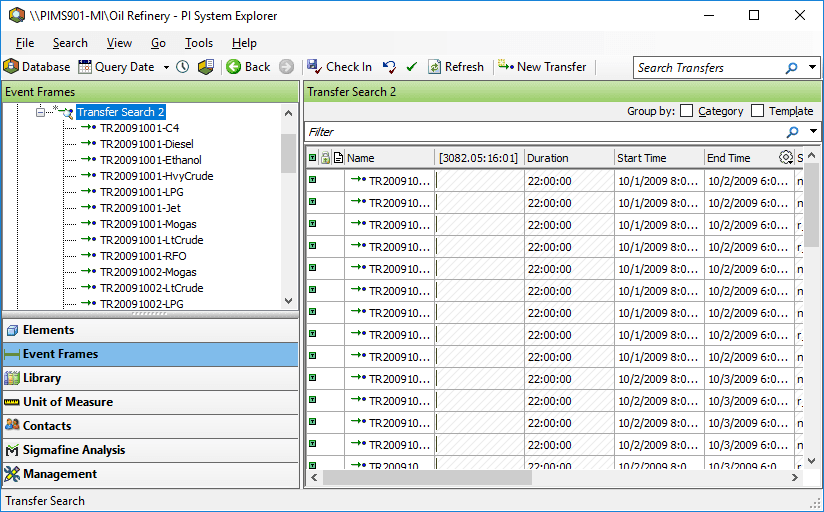
Locating Transfers in the PI System Explorer
When attempting to locate transfers in the PI System Explorer, you use time frames to narrow the scope of the resulting transfer to the time period in which the transfer was taking place.
To search for transfers in a time range:
Open the System Explorer.
In the navigation pane, click Event Frames to display the Event Frames panes.
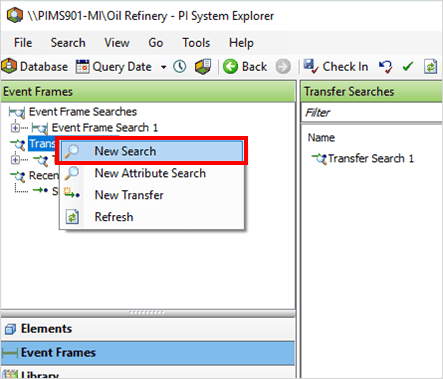
In the Event Frames tree view, right-click on Transfer and select New Search from the pop-up menu.
The Transfer Search Criteria window opens.
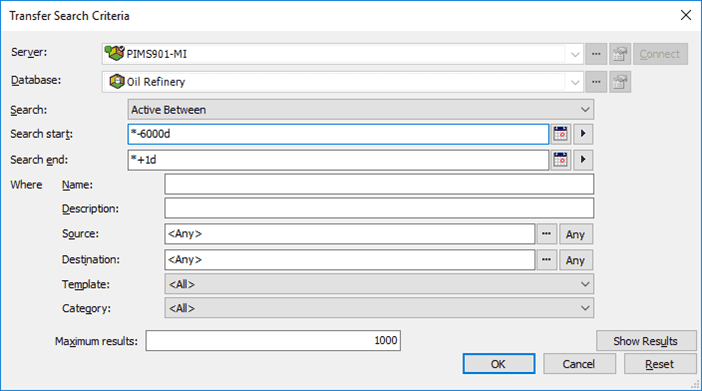
Specify the search criteria you want to use.
When finished entering the criteria, click OK to close the Transfer Search Criteria window and filter the transfers based on the criteria you have specified.
All transfers, matching the criteria you specified, are displayed in the Event Frames panes.